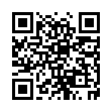
iPhone or iPad
Open the player in Safari. Tap Share (the square with an arrow), choose Add to Home Screen, then tap Add. If a QR/NFC tap opened inside another app, open the link in Safari first.
GOZO RADIO
The Sound of Gozo

Listen anywhere
Listen live, then add Gozo Radio to your phone’s home screen for quick access whenever you want.
Open the player in Safari. Tap Share (the square with an arrow), choose Add to Home Screen, then tap Add. If a QR/NFC tap opened inside another app, open the link in Safari first.
Open the player in Chrome or Samsung Internet. Tap Install on Android and confirm. If no prompt appears, open the browser menu and choose Install app or Add to Home screen. If the link opened inside another app, open it in Chrome first.
No app-store search needed. This link works from a QR code or NFC tap.